Review Comments (0) Screenshots (3) Questions & Answers (0) Votes (35) Awards (9) Wiki  
(35)
Eolsoft
1.5.1.432
www.eolsoft.com
Freeware
13 929 people
Download Flash Movie Player

522.41 KBDownloaded 9153 times

This software was checked for viruses and was found to contain no viruses.
Click here to see antivirus report.
 

Review

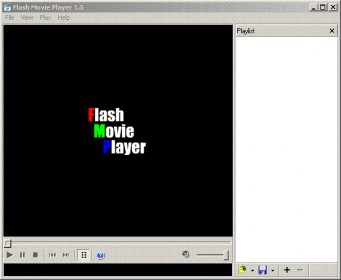
Flash Movie Player is a free application to play SWF videos, based on the Adobe Flash Player plug-in. It offers a multilingual interface with support for 39 languages. Anyone could use this application without any hassle, as no special skills are needed. As for the interface, it resembles the classic skin of "Windows Media Player".

It includes a built-in play list editor, and you can configure it to play your videos in random order, shuffle mode, or loop mode. This player has exceedingly simple controls for navigating the movie back and forth. It supports rewinding any video, be it a standard SWF file, a Flash game, or an exe projector file. The playback audio levels and the size of the window can be easily adjusted.

Besides, there are some more advantages that you will not find easily in similar players. This tool not only gives you more control over the viewing of your videos, but it also offers you the possibility of creating screenshots of any frame, and of setting itself as your default Windows screen saver to play Flash animations while the computer is not in use.

The beauty of this application lies in its simple set of controls, which even supports drag and drop. Finally, it works fine with low system requirements.
  • It is freeware.
  • Easy to handle.
  • None.

Reviewed by: Prasanna Fadnis

Reviewer rating:

Reviewed: 2 years ago

What's new in version 1.5

◦Sound volume control and Mute command added
◦Added "Installed Flash Information" command.
◦Now Flash Movie Player can serve as screen saver. You can define flash animations that you want to view when screen saver is launched, and Flash Movie Player will do the job. (Use "File"-"Set as screen saver" command.)
◦Small changes in the drag-and-drop behaviour. If files dropped into the playlist area, they will be added to the existing playlist. If files dropped into the main player area, the current playlist will be cleared.
◦New command line switch added: "/autoclose". If specified, player will be ended the Flash animation(s) has completed.
◦Other minor changes and bugfixes
Report a wrong version Report a wrong program title Suggest a correction

Screenshots

Main View Main View Options Options Settings Settings

Latest comments


There are no comments, be the first one!
Add new comment

E-mail Address:

Password:

Register now »

Forgot password?

Sign in with:
.mp4 MPEG-4 File
.flv Flash Video
.mkv VLC media file (.mkv)
.vob VOB File
.dat Video CD Movie
Download Software Informer Client
Copyright © 2012, Informer Technologies, Inc. About| Privacy and terms| Help| Feedback & Support| Partners program